|

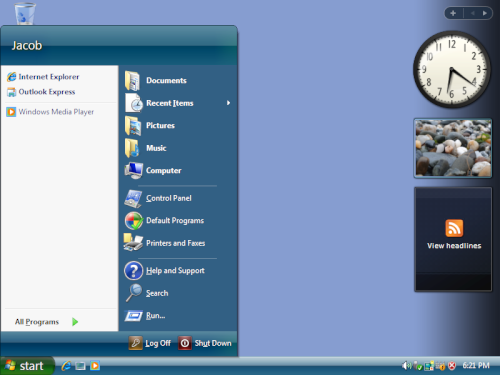
The Start menu acts as a
gateway to all your
installed programs and system function controls. It is always within
reach when you use Windows XP, and you can return to it at any time by
clicking its button on the taskbar.
The Start menu contains all that you need to use Windows. With it, you
can:
- Launch programs
- Open recently used files
- Customize your computer with
Control Panel
- Get help with Help and Support
- Search for files on your
computer or online with Search
- And much more
Some items in the Start menu have a right pointing arrow known as a
chevron, meaning additional options are available on a sub-menu. Hover
over an item with an arrow to display the additonal menu.
The left side of the Start menu shows your most frequently used
programs. The top left shows your default Web browser and e-mail
client. Additional programs can also be pinned.
 |
|